


Make Kadaza Your Homepage in Edge
Follow the steps below to set Kadaza as your homepage and startup page in Microsoft Edge.





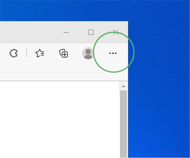
Step 1. In the upper right corner of the browser, select the Options icon  and click Settings.
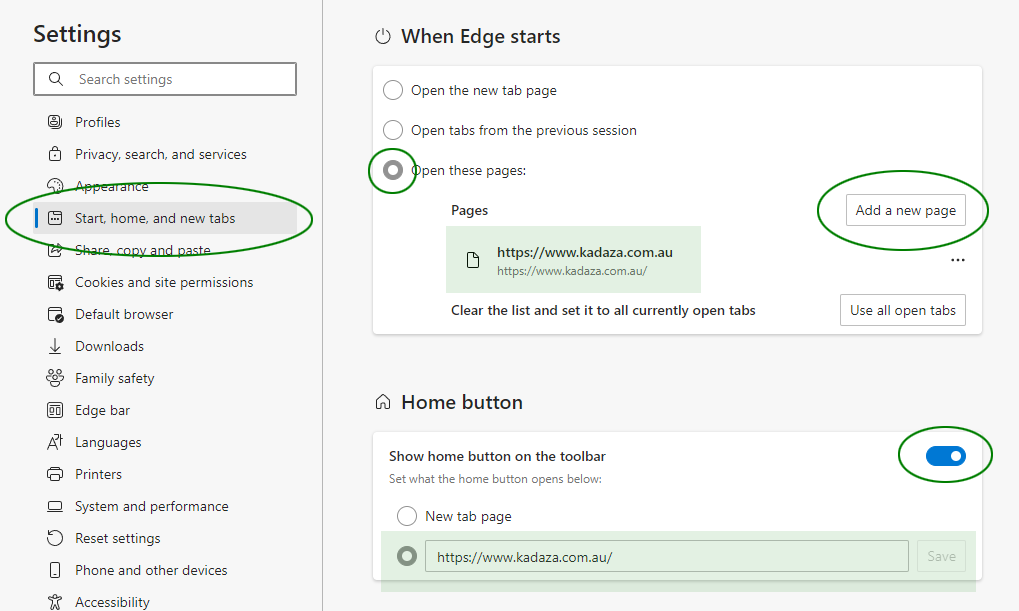
Step 2. In the "Start, home, and new tabs" section select Open these pages. Click "Add a new page" and enter www.kadaza.com.au. Click save.
Step 3. Activate Show the home button. Click "Enter URL" and enter www.kadaza.com.au. Click save.
Example:
Quick setup: Install the Kadaza Edge extension to set up Kadaza in just a few clicks.
 Add Kadaza to Edge


